Where AI Actually Earns Its Place in an MVP

Almost every pitch deck now says "AI-powered". Here is a simple four-question test for whether an AI feature belongs in your MVP, four AI features I've shipped that users actually used, and the ones I'd tell founders to skip.
Most MVPs don't need more AI. They need the right AI.
Almost every pitch deck I see now has "AI-powered" on the first slide. Investors ask about it, so founders add it. The result is often a chatbot nobody opens, or a recommendation engine with no data to recommend from.
That costs more than it looks. AI features add model or API bills that grow with every user, slow responses, wrong answers you must design around, and data-protection questions in every market you sell to. At the MVP stage, your job is to learn what users actually want, fast and cheaply. AI that doesn't help with that slows you down.
In 26+ years of building products, including several with AI features in production, I've found the useful ones share one trait: they remove a real step the user would otherwise do by hand.
A simple test before you build
Before any AI feature goes on the roadmap, I ask founders four questions. Any "no" means ship the simple version first.
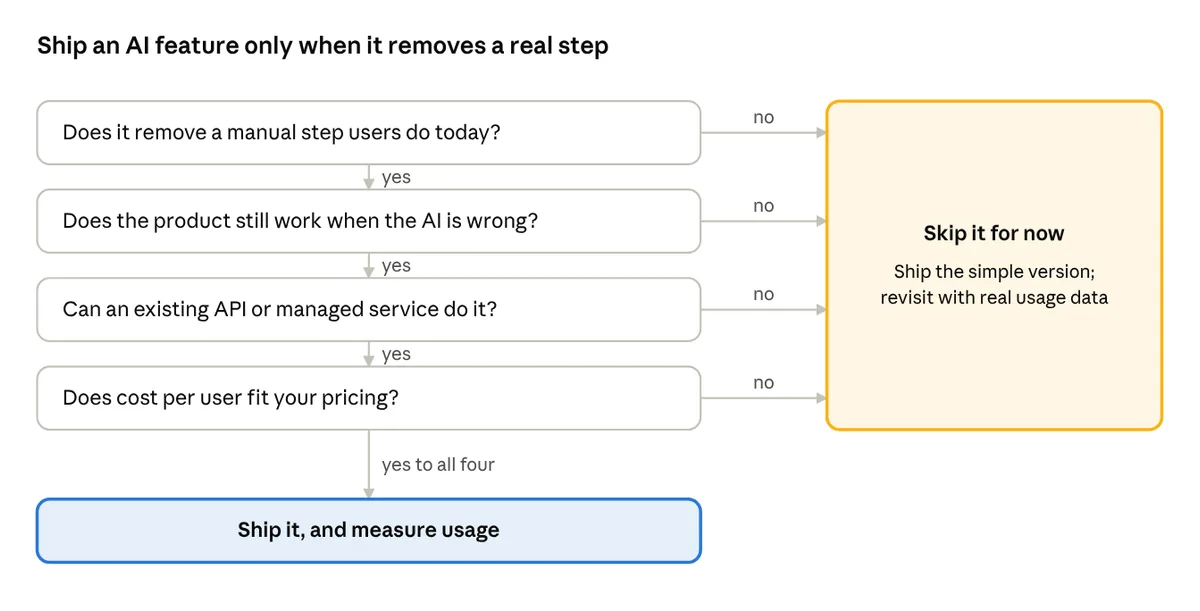
- Does it remove a manual step users do today? If you can't name the step, it's decoration.
- Does the product still work when the AI is wrong? AI makes mistakes; the design must catch them.
- Can an existing API or managed service do it? Custom models are rarely an MVP job.
- Does the cost per user fit your pricing? AI bills grow with every active user.
Four AI features I've shipped that users actually used
Each of these replaced a tedious manual step. None was added because AI was fashionable.

| Product | AI feature | The manual step it removed |
|---|---|---|
| Event photo app | Face recognition: a guest takes a selfie and gets every photo they appear in | Scrolling through hundreds or thousands of event photos |
| Creative services marketplace | Automated best-shot selection for albums | Photographers culling thousands of shots by hand |
| Exam preparation app | AI-generated practice questions on chosen topics | Writing and updating question banks manually |
| EV charging platform | Predictive maintenance that flags chargers likely to fail | Waiting for drivers to report broken chargers |
Three lessons came out of these builds:
- Start with a managed service. The event photo app used a cloud face-recognition service, not a custom model. It shipped in weeks, not months.
- Keep a human in the loop where mistakes are costly. Generated exam questions need review before students see them, and best-shot picks are suggestions the photographer can change.
- Measure the step you removed. Track how often the feature is used and how much time it saves. If usage is low, remove it.
AI features I'd tell founders to skip at MVP stage
- A general chatbot on the homepage. If users can't say what they'd ask it, they won't. Answer the top ten questions in a clear FAQ first.
- Recommendations with no data. A recommendation engine needs usage history. With a few hundred users, simple rules (newest, most popular, nearby) work as well and cost nothing.
- Training your own model. Unless the model is the product, start with a hosted API or managed service. Custom training costs months and needs data you don't have yet.
- AI that decides for the user in high-stakes areas. Credit, hiring, health or legal outcomes bring heavy regulation and liability. Keep AI as an assistant, with a human making the final call.
- "AI-powered" labels on simple logic. Calling a filter or a formula AI erodes trust when users notice, and investors increasingly do.
Build, buy or call an API
For an MVP, the order is almost always: call an API, then use a managed service, and only build your own model when you've proven the need.

| Option | Best for | Watch out for |
|---|---|---|
| Call a hosted AI API (large language models, vision, speech) | Text generation, summaries, question answering, classification | Cost per call grows with users; data leaves your servers; answers can be wrong |
| Use a managed cloud AI service | Well-defined tasks like face matching, document reading, translation | Less control over accuracy; check where data is processed and stored |
| Open-source model you host | Data that must stay in your own cloud or region | You run and update the infrastructure |
| Train your own model | When the model itself is your competitive edge | Needs data, specialist skills and months of work |
Two habits keep AI costs under control from day one:
- Set a budget per user. Know what one active user costs you in AI calls each month, in USD, and cap usage on free plans.
- Cache and batch. Reuse answers to repeated questions and process non-urgent work in batches, not one call at a time.
AI rules by region
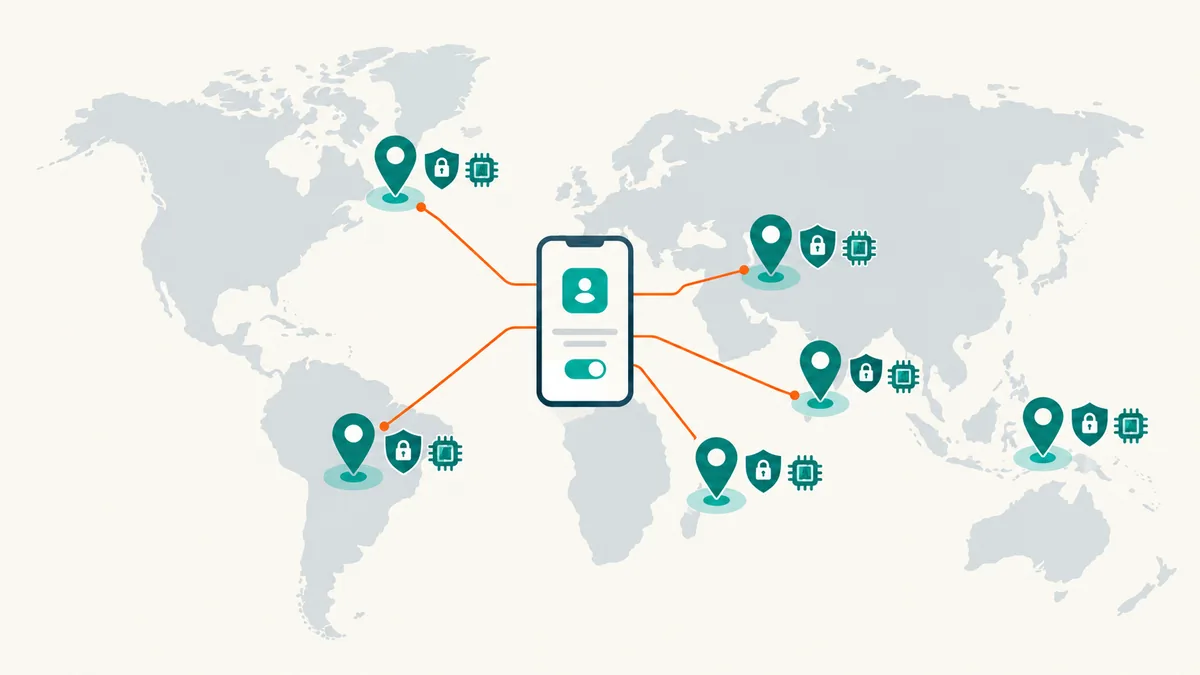
Where your users are changes what an AI feature needs before launch. Rules are moving quickly, so check the current position in each market before you ship.
| Region | What to know | What it means for your MVP |
|---|---|---|
| Europe | The EU AI Act sorts AI uses by risk; GDPR treats face data as biometric data | Tell users when they're dealing with AI; get explicit consent for face features; avoid high-risk uses (hiring, credit) at MVP stage |
| Middle East | The UAE and Saudi Arabia have national AI strategies and personal-data laws (PDPL) | Check where AI providers process data; plan for in-region hosting with regulated clients; support Arabic |
| Africa | Data laws such as POPIA (South Africa) and NDPA (Nigeria) apply to AI processing | Design for low bandwidth; keep AI optional so the core product works on weak connections |
| India | The DPDP Act covers personal data used by AI features | Get clear consent; support regional languages; watch per-call costs at large user volumes |
| South East Asia | Singapore's PDPA and Model AI Governance Framework set the tone; Indonesia, Thailand, Malaysia, Vietnam and the Philippines each have their own data-protection laws, some with data-localisation rules | Check where AI providers process data in each country; support local languages (Bahasa, Thai, Vietnamese); design for mobile-first users and mixed connectivity |
A safe default everywhere: tell users when AI is involved, let them opt out of AI processing their personal data, and keep a person in charge of decisions that matter.
Before you add AI to your MVP: a checklist
- The feature removes a specific manual step you can name.
- You know how users will act when the AI is wrong, and the product still works.
- You start with a hosted API or managed service, not a custom model.
- You know the AI cost per active user per month, in USD.
- Users are told when AI is involved and can opt out where personal data is used.
- You've checked data-protection rules in each market you serve.
- You track usage, so you can remove the feature if nobody uses it.
Not sure if AI belongs in your product?
In an AI/ML advisory call, we'll decide where AI adds real value to your product, pick the right providers and keep costs and compliance under control.
About Vikram Malihan
Fractional CTO with 26+ years of experience building and scaling technology teams across multiple continents. Specializing in helping startups and scale-ups navigate technical challenges, from architecture decisions to team building and fundraising support.
Learn more about Vikram